Archive for category Computers & Technical
A First Birthday
Posted by Sally Jenkins in Books, Computers & Technical, Lifestyle, Self-publishing on January 19, 2014
One year ago this week I published my first short story collection, One Day For Me, on Amazon Kindle.
The book has amassed some great reviews on Amazon and Lee Ashford of Readers’ Favorite said, “Sally Jenkins knows how to build a story. She takes the mundane, and makes it intriguing. She hooks the reader, and reels him in. She proves her talent in each of these eight short stories, making this collection one you will be glad you read.”
Since publication lots of things have happened in my life including a health scare (early stage breast cancer – make sure you go for those mammograms, ladies!) and a complete upheaval in my day job (I was transferred from one company to another under TUPE legislation – don’t ask, it’s complicated!).
I’ve also learned a few things during the past twelve months, such as a book of short stories, all written by the same person is a collection. But a book of short stories, all written by different people is an anthology.
Am I the only person who didn’t know that?
I’ve discovered that I’m not much good at book cover design and also that writing stories is much easier than marketing them! But over the last few months Amazon KDP have introduced a couple of features that make both of these difficult tasks a little bit easier:
- Amazon Cover Creator, which I’ve talked about previously here, makes it very easy for anyone to create an eye-catching cover for a Kindle book
- Kindle Countdown Deals which allow authors to discount the price of books for a limited period
So, to celebrate the first birthday of One Day For Me, it will be half-price (99p) from now until Saturday 25th January.
And those of you in the US can buy One Day For Me for only 99c until 12pm (PST) on Wednesday 22nd January and then at $1.99 until Saturday 25th January.
I hope you enjoy it!
Kindle Countdown Deals 2 & ‘A Place to Call Home’
Posted by Sally Jenkins in Books, Computers & Technical, Promotion, Self-publishing on December 29, 2013
You may remember that a couple of weeks ago I promoted my non-fiction e-book A Writer on Writing – Advice to Make You a Success using the new KDP Select sales tool – Kindle Countdown Deals. 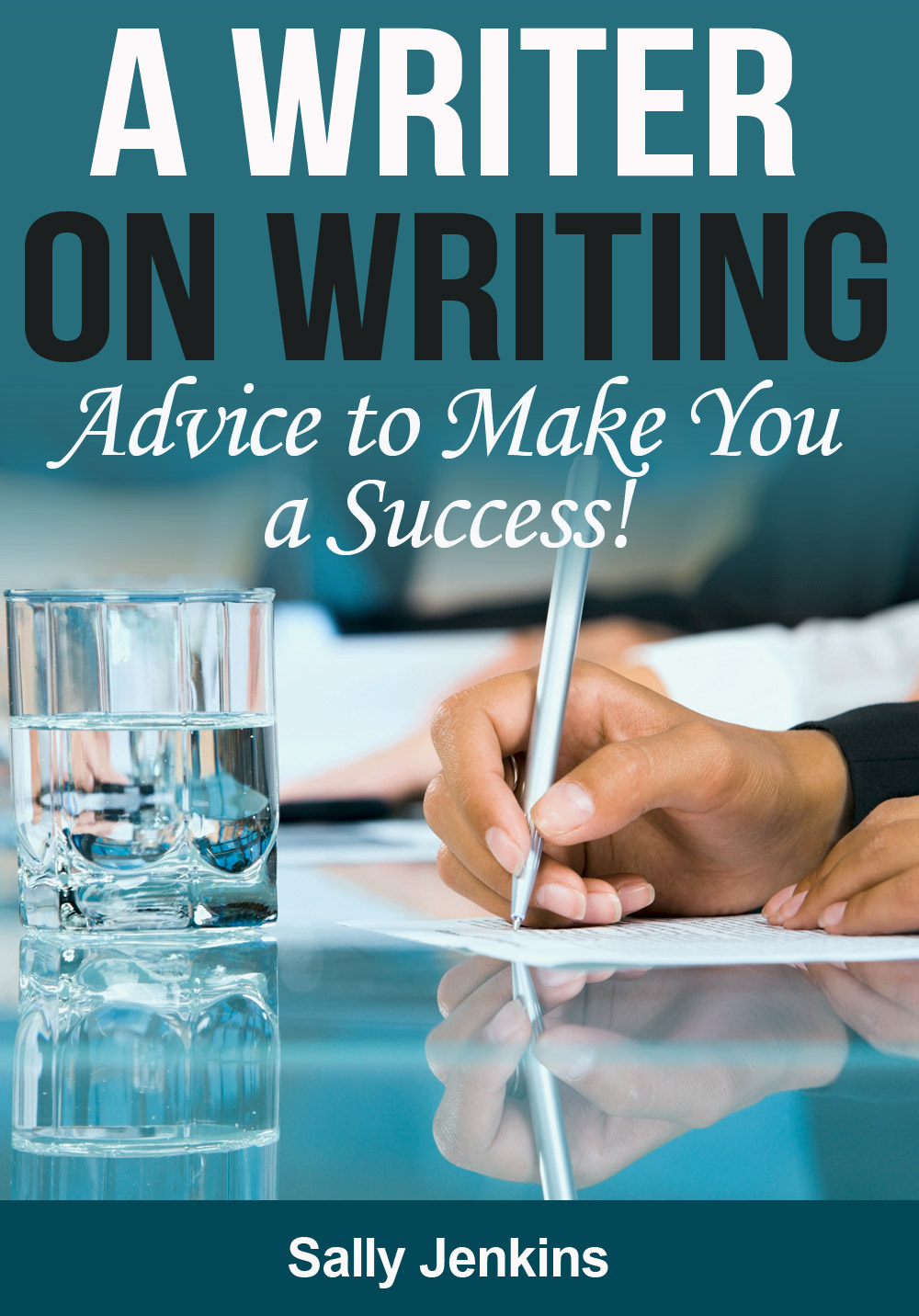 It was reduced from £1.99 to 99p for 7 days.
I thought I’d let you know how I got on.
During the promotion period I sold 20 copies in the UK but 1 was later refunded (Kindle books can be refunded if the request is made within 7 days of the original purchase – Amazon then automatically remove the book from your device). I sold 3 copies in the US where the discount was also running and 1 copy in Australia at full price (Kindle Countdown Deals only apply to the US and the UK).
In the week after the promotion period I sold 2 copies in the UK at full price and received 1 new review. I sold none anywhere else.
So I won’t be booking that Caribbean cruise just yet but I might manage to treat myself to a Salted Caramel Latte in Costa (I’m rather partial to them when they appear on the Christmas menu!).
But, all things considered, I’m fairly happy with the result because I didn’t spend much time promoting the Deal apart from here and on a couple of forums and a lot of the people I reached in this way would probably already have the book from earlier, free, promotions. Also, thanks to those people that gave me a shout-out!
It’s definitely a tool I’d consider using again sometime in the future. Psychologically, it feels better than giving books away for free but I think the free promo still has it’s place for cheaper books and as a method of giving a new book an initial ‘lift’.
On another subject, I’ve just finished reading my advance copy of Carole Matthews new book – ‘A Place to Call Home’. The story brings together 4 injured souls who are all hurting in different ways. Over the course of a summer they bond together and help each other to heal. It’s an easy to read, ‘feel good’ novel – just the thing if you’re fed up of these long dark days of winter. It will be published on Jan 9th 2014 but is available for Amazon pre-order now in hardback and e-book format.
Amazon’s Kindle Cover Creator
Posted by Sally Jenkins in Computers & Technical, Resources, Self-publishing on June 25, 2013
In preparation for my next e-book release, I’ve been playing with Amazon’s Cover Creator.
This can be found within the Kindle Direct Publishing process, at the point where you would normally upload a cover that you’ve created elsewhere.
Designing with Cover Creator is far, far easier than trying to do it with GIMP or any other such design software (unless you happen to be an expert – which I am definitely not!).
There are only three steps:
- Choose Design – select an image from those available within Cover Creator or upload an image of your own.
There is a reasonable selection of images available and they are split into sections such as Animals, People, Architecture, Food and Drink etc. I found a picture which I felt was a reasonable likeness to the heroine in my tale. - Style and Edit – select the layout, colour scheme and font.
There are a limited number of each of these. The layout dictates whereabouts on the cover the title, subtitle and author name will appear. Colour scheme and font are self-explanatory. - Preview – see how your design will look in the Amazon store.
This is the only part of the process that caused me problems. When I tried to Preview I kept getting the message, ‘Cover Creator has encountered an error. We recommend you refresh your browser.’ So I contacted Amazon. They suggested that I use Firefox as my browser instead of Internet Explorer. This worked but first I had to delete everything I’d already done in Internet Explorer and start again.
At any point in the Cover Creator design process you can save the cover and come back to finish it later. And you can design in Cover Creator before your book is ready to be uploaded.
Inevitably there are some disadvantages to Cover Creator, the principle two being:
- The limited number of variables available (i.e. images, layouts, colour schemes etc.) However, I would guess that Cover Creator would become much more difficult to use were there to be an infinite choice. Just be prepared for someone to have a similar cover to yours!
- Covers created within Cover Creator cannot be used outside of Amazon. So if you intend selling on other platforms, source your cover elsewhere. Initially, my next book will be exclusive to Amazon so I’m not going to worry about this at the moment.
Here is a sneak preview of my proposed cover design. Any comments gratefully received!

To put my design in context – this book is intended to be the first in a series of stories (each around 8,000 words long), all of which will be set in The Museum of Fractured Lives. Each e-book will feature a different donor to the museum and tell the story of the object they are donating. Maxine is the heroine of the first book.
It was loosely inspired by The Museum of Broken Relationships in Zagreb which I told you about here. However, I should emphasise that everything in the book is totally fictional. I have never visited the museum.
Getting to Grips with E-Publishing 3
Posted by Sally Jenkins in Computers & Technical, Resources, Self-publishing on April 2, 2013
After all the wonderful advice I got on my previous post about cover design, I thought I’d got things under control in that department. But my attempt at a cover for my third book was so abysmal that I daren’t even show it to you here. Compared with similar books already on Amazon it looked very basic and most definitely amateurish.
I think this is because the book is non-fiction and therefore requires a very business-like cover to get anywhere near competing with the hundreds of other books on the same subject.
So I decided to call in the professionals. I used the website Fiverr. This site features hundreds (or maybe thousands even) of sellers offering their services for just $5. The range of services is vast from personalised greetings cards, translations and bespoke bedtime stories. But there are also lots of e-book cover designers on there too.
I picked one of the top-rated designers (like on EBay, buyers have to leave feedback on the service they received) and told her the title of the book, what it was about and a brief suggestion about the type of image that might be suitable (it is also possible to send the designer a specific photo if you have one that you want to include on the cover).
Two days later my cover design was delivered and you can see it on this post. It’s much better than I could produce. I’ve borrowed the title from a ‘column’ on the Open Writing website which runs an extract from this blog each week (the site includes lots of other writing from around the world, too).
A Writer on Writing is a compilation of 14 of my articles that have appeared in the UK writing press, such as Writing Magazine & Writers News, The New Writer, Writers’ Forum and Freelance Market News. They cover subjects as diverse as generating ideas, writing articles with an anniversary ‘hook’ and flash fiction.
As I did with my other books, I have set an introductory price of 77p – with a view to increasing it when I see how sales go. Setting the perfect price point to encourage buyers without devaluing the work involved in producing a book is very difficult. 77p is the lowest price point available to independent authors.
Click here to see the book on Amazon UK and here to see the book on Amazon COM. It’s also available on all other Amazon sites by searching for ASIN: B00C0GBRS6 or by title and author.
I’ll keep you posted on how my e-publishing empire is growing (or not as the case may be!).
Publishing an E-Anthology – Is It Worth It?
Posted by Sally Jenkins in Computers & Technical, Promotion, Self-publishing on March 10, 2013
This question appears in Della Galton’s column in the current Writers’ Forum magazine. I thought I’d try to answer it using my own experience, with two anthologies published over the last six weeks or so.
I published One Day For Me on 23rd January and, as of 6th March, I have sold 63 copies, 3 on Amazon.com and the rest in the UK. Of the UK sales, 58 were at 77p each (giving me a 26p royalty each) and 2 were at £1.53 (giving me £1.03 royalty each). This has given me total UK royalties of £17.14.
I published Old Friends on 22nd February and, as of 6th March, I have sold 20 copies, all in the UK at 77p each. This has given me total UK royalties of £5.20.
So, financially, I say it has not been worthwhile. BUT I still have a lot to learn about e-book marketing and the inner workings of the great Amazon machine. So I’m hoping that once I get my head around that and also publish a couple more books that I have ideas for, sales will improve. In the meantime, if anyone knows how to get a foothold in the US market – please let me know!
Forgetting the financial side of it, there have been many other benefits from dipping my toe into e-publishing.
I’ve had lots of positive feedback from people who’ve read the books, particularly One Day For Me, in the form of Amazon reviews, emails and face to face. Also, I’ve learnt that those outside the ‘writing industry’ often don’t appreciate the importance of leaving reviews for books they’ve enjoyed – and many simply don’t know how to do it.
But the best thing to come out of this experience is the new respect that family, friends and work colleagues have for my writing. It is no longer just ‘a little hobby’. Instead it is something that has a tangible product which is on sale worldwide and which they can buy. This has made me feel more professional and less guilty about claiming to be a writer.
So, in summary – YES, the anthologies have definitely been worthwhile.
And if you buy one, I think you’ll find they’re a worthwhile read as well!
One Day For Me: 8 Award-Winning Stories – these stories have all either won or been shortlisted in UK national writing competitions.
Old Friends: 13 Coffee Break Stories – these stories have all previously appeared in UK magazines
Getting to Grips with E-Publishing 2
Posted by Sally Jenkins in Computers & Technical, Self-publishing on January 20, 2013
I’m making progress on my e-publishing project – it’s an anthology of 8 short stories that have either won or been shortlisted in UK writing competitions.
The text has been formatted, uploaded to Amazon and checked in their ‘Preview’ function.
But producing the cover has been a battle (see the image on the right – I’m not sure the font is clear enough – what do you think?).
In the end I’ve created the simplest of images by taking a free photo from Stock Free Images (in return for this credit at the front of the book – © Vojsek | Stock Free Images & Dreamstime Stock Photos) and used GIMP software (free to download) to add the book title and my name. If anyone else is thinking of doing this, be warned that GIMP is not easy to use – I spent much time searching for help elsewhere on the internet. But it’s probably like anything else, the more you do it, the easier it gets. I’ve listed some of the links I used at the end of this post.
Now I need to decide on the pricing structure. Do I sell it cheap or dear?
If I price the book between 75p and £1.49 then I get 35% royalties, if I price higher than £1.49 then I get 70% royalties. So, by my calculations, pricing at £1.50 would earn me £1.05 per book and pricing at 75p would earn me around 27p per book.
Do you think if I go cheap I will sell four times as many books – or am I merely devaluing the writing?
Links to Gimp Tutorials
Re-sizing and stretching the image
Win a Kindle, Kobo or Book Tokens
Posted by Sally Jenkins in Competitions, Computers & Technical, Markets on November 5, 2012
Following on from my last post – my Kobo e-reader prize has arrived and has turned out to be more of an android tablet rather than a simple e-reader. It is the Vox model and has lots more functionality than I expected, so what choice did I have but to keep both it and the Kindle?
I find the Kindle easier on the eye for sustained periods of reading and it has a longer battery life. But the Kobo will drag me into the world of tablets and Apps – something I’ve had no experience of until now.
The first App I downloaded was A Quick Read (as mentioned in this month’s Writers’ News), which is a collection of short stories for reading on the move. Have a look at the website for how to submit your own stories for inclusion.
I’ve rooted out some prize draws if you’d like to win your own e-reader or some good old-fashioned book tokens:
- For the chance to win a Kindle Fire, click here
- For the chance to win WH Smith vouchers that can be used to buy a Kobo, click here
- For the chance to win some Book Tokens, click here.
Good Luck!
Kindle versus Kobo
Posted by Sally Jenkins in Computers & Technical on October 31, 2012
I need some advice. Which is best – Kindle or Kobo?
I already have a basic Kindle (without the keyboard or any of the fancy stuff) and I’ve just won a Kobo e-reader in the monthly flash fiction competition in Prima magazine (my story is in the December issue). The Kobo hasn’t arrived yet so I don’t know which model it will be but it’s supposed to be worth £149.
I’m trying to decide whether to tear open the packaging of the Kobo when it arrives and have a play with it, or whether to keep it all brand-spanking new and advertise it on eBay.
Because of its price, I’m assuming the Kobo will have a much wider functionality but what about the selection of books available? Does it have as many titles as the Kindle? I know that many authors who self-publish, only do so on the Kindle but the file format used by the Kobo is supposed to be more ‘open’.
Which screen is easier on the eye and is the page turning functionality as good on the Kobo as it is on the Kindle?
There’s an interesting article here from the MoneySavingExpert team. It recommends Kobo if buying for oneself but Kindle if buying as a present – but only so that you don’t appear a cheap skate by giving a less expensive Kindle substitute.
Conversely, Steve Fenton has written a great blog post here which compares the two in detail and comes out in favour of the Kindle.
So what do you think? Is one better than the other – or should I keep both (I’m thinking that if I ever get round to self-publishing an e-book it might be useful to see what it looks like on the two devices).
Email Antics
Posted by Sally Jenkins in Computers & Technical on May 21, 2012
I’m in the middle of switching email addresses – and it’s causing me a lot of grief!

I’ve used the same web mail address since we got our first home PC back in 1999 and for most of that time it’s worked fine. But over the last few months the service has been crashing out, refusing to load my inbox and freezing when I press ‘send’. I’ve been reluctant to switch to a new provider because:
- I liked my email address (it didn’t include any annoying numbers or dots to make it unique from every other person with my name)
- Like most writers I always have ‘stuff out there’ which obviously has the old address on as a contact point
- I guessed it would be a lot of hassle to change
However, there was only so many times I could put up with losing a carefully drafted email plus we’ve recently upgraded to BT Infinity at home – so I decided to bite the bullet and join the @btinternet.com clan.
I was lucky with my new email address – all I had to do was slip in my middle initial to make it unique and still appear businesslike. Then I jumped for joy when I saw that it was possible to import contacts from other email providers – but sat down heavily again when I realised my old provider was not amongst those listed as compatible. It looked like I had a long ‘copy & paste’ job ahead of me.
But there was good news when I found an option to get mail forwarded from other email addresses. I filled in the prompts and clicked ‘new mail only’. At least now it wouldn’t matter if I forgot to keep monitoring my old email – all those competition wins that are bound to come in over the next few months would be automatically forwarded to @btinternet.com!
Then, before my very eyes, my new inbox filled up with over 2,000 emails.
Every single email from my old address had been imported to the new!
This had advantages and disadvantages. I could open messages and click to add the sender to my new contacts list but a massive deletion job is now necessary. And I’m not finding it easy to delete whole page after whole page because I keep spotting something that might be useful…just like when I try sorting out books for the charity shop.
Somehow I reckon this job is going to drag on and on. Maybe it would be easier to go back to sending messages via pigeon or even in a bottle (which explains the odd illustration to this post – just in case you were wondering!)
Despite all this I can still be contacted via the ‘About Sally Jenkins’ page of this blog or please leave a comment below.
-
You are currently browsing the archives for the Computers & Technical category.
 Sally Jenkins